PRODUCTION WITHIN 2 WORKING DAYS

1
2
3

ORDER TRANSFERS ONLINE: ANYWHERE, ANYTIME.

Watch this short video on how to order transfers or read as text instructions.

HOW TO ORDER TRANSFERS: TEXT INSTRUCTIONS

STEP 1: Create account

  • Enter your details
  • You will receive a confirmation email after verification
     
    Time for your first order!


STEP 2: Choose transfer

Screen-printed transfer

up to 5 colors InkTra transfer
InkTra Sublistop

1-5 full colors on clear carrier

1-5 full colors for sublimation-dyed fabrics

1 color Universaltransfer Plus

full color on paper carrier

Full Color transfer

UltraColor MAX transfers
UltraColor transfers

Unlimited colors & extremely fine details

Photorealistic details & unlimited colors for sublimation-dyed fabrics

UltraColor PRO transfers

Hot Peel transfer for
photorealistic details &
unlimited colors

Hot Peel transfer for photorealistic details & unlimited colors for sublimation-dyed fabrics

STEP 3: Upload design

  • Upload your design/image or logo*
  • Add text

*Make sure that your design is saved in CMYK color mode and in one of the file formats below.

Info: You can change the colors & sizes in the designer at any time.

File formats

Universaltransfer Plus
 InkTra® & InkTra® Sublistop

.eps / .svg / .pdf

File formats

UltraColor® PRO & UltraColor® PRO Sublistop
UltraColor
® & UltraColor® Sublistop
.eps / .jpeg / .pdf

File formats

UltraColor® MAX

.eps / .jpeg / .pdf

STEP 4: Confirmation of copyright permission

  • Confirm that you have the right to use the selected design.

STEP 5: Check colors

  • Confirm the colors that have been identified in your design.

STEP 6: Check design

  • You can now check your design for your chosen sheet size.
  • You can change the color of the background to match your textile color.

STEP 7: Order transfers

  • If you do not want to make any further adjustments, click on the “CHECKOUT” button at the bottom right.
  • A small shopping cart window will open. Please click on the “CHECKOUT” button again.
  • Would you like to add a design? Then simply click on “Start new design” on the left.
  • Forgot something? Then click on “BACK” and adjust your design.

STEP 8: Finish order

  • In the shopping cart view you will find an overview of your designs.
  • You can complete your order by clicking “TO CHECKOUT”.
  • You will then receive an order confirmation by email, including tracking and shipping information.

Done! You have successfully ordered a transfer.
Each transfer will be produced in the dimensions you selected. Your ordered designs are automatically saved in the transfer store.

You want to reorder transfers? 
You can find a short text guide on how to easily reorder transfers further down the page.

Place your order anytime, anywhere!

1. UPLOAD YOUR DESIGN

2. ORDER YOUR TRANSFERS

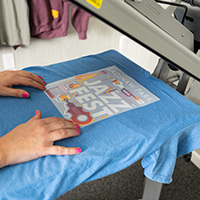
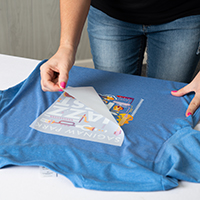
3. APPLY WITH A HEAT PRESS

Choose transfer and order

REORDER

STEP 1: Find your order

  • After logging in, go to "My account" and then to "Orders". Here you will find all your orders.
  • You can use the search function to find the desired order by entering the order number.
  • You can also use the advanced search function to find the order you are looking for, e.g. by invoice number, date or design name (project #).

STEP 2: Open the order

  • Open the order you would like to reorder.
  • Mark the order number (SE...), which you will find on the right-hand side.
  • Copy it.
  • Click on the Reorder button at the top right.

STEP 3: Open shopping cart

  • If you want to customize your design, click “edit” or adjust the quantity.
  • If you want the order as it is, click the “TO CHECKOUT” button.

STEP 4: Insert old order number

  • Follow the instructions up to STEP 2
  • Go to the ORDER OPTIONS section.
  • Insert the old order number in the “Customer order no.” field.

5. Done! You can complete your order as usual.

Need help checking the quality of your artwork?
Would you like to see how your design looks on different textile colors?
Or do you need help with the layout of the design?

Create Graphics

You can check all your graphics within our design tool. You can convert fonts to paths and check the look of your design on different textile colors. 

You can also see all the prices for your design immediately in the designer tool. The price depends on the quantity, the selected size and the colors of the design. There are various tools with which you can rotate, scale and arrange the design. Would you prefer a different format or transfer? Simply click on the "Change product" button. Then choose a different format or transfer. When you're happy with your choice, click the ‘BUY’ button to order your transfers.

Create Account

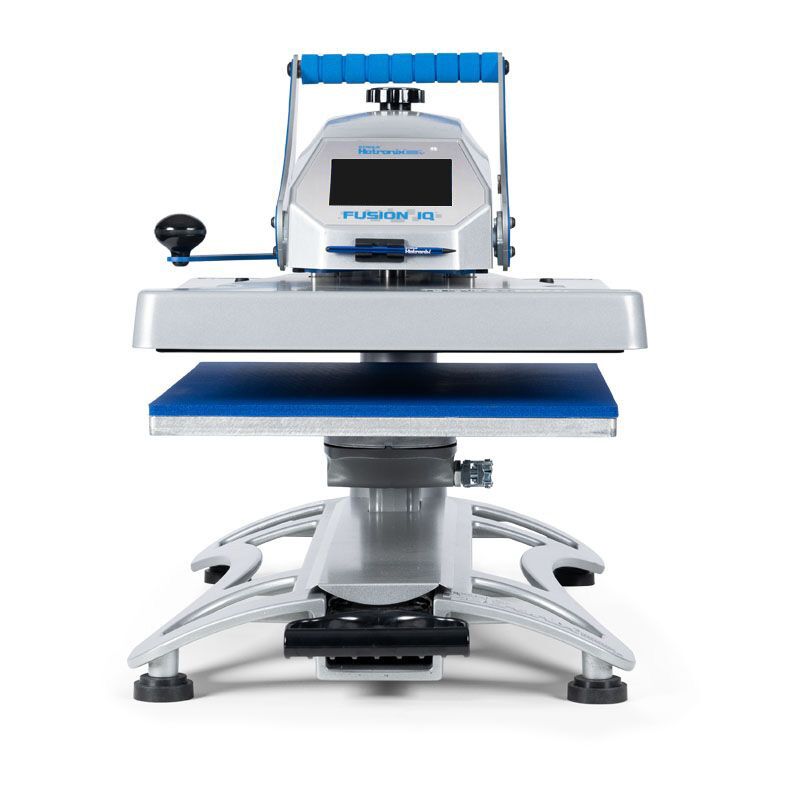
The perfect press for your transfers

With the Hotronix® Fusion IQ® series, there's no guesswork in the printing process. These presses are made to support your business for a lifetime.
Benefit from industry-exclusive features and a 30-year warranty on the heating elements.

View all heat presses
Ihr Warenkorb ist leer.
Suchen